
AI Tools 101: Complete Beginner's Guide to ChatGPT and Essential AI Tools
Emily Carter • 10 Jan 2026 • 220 views • 3 min read.Artificial intelligence has moved from science fiction to everyday reality, transforming how we work, learn, and create. AI tools like ChatGPT, Midjourney, and numerous specialized applications are now accessible to everyone, regardless of technical expertise. These powerful technologies can help you write better emails, generate stunning visuals, analyze data, automate repetitive tasks, and even learn new skills faster. However, many people feel overwhelmed by the sheer number of AI tools available and uncertain about where to start. Understanding which tools serve which purposes and how to use them effectively can dramatically improve your productivity and creativity. This comprehensive guide will walk you through the essential AI tools every beginner should know, starting with ChatGPT and expanding to other game-changing applications. Whether you're a student, professional, entrepreneur, or simply curious about AI, you'll discover practical ways to integrate these tools into your daily routine and unlock capabilities you never knew you had.
Understanding ChatGPT: Your AI Assistant
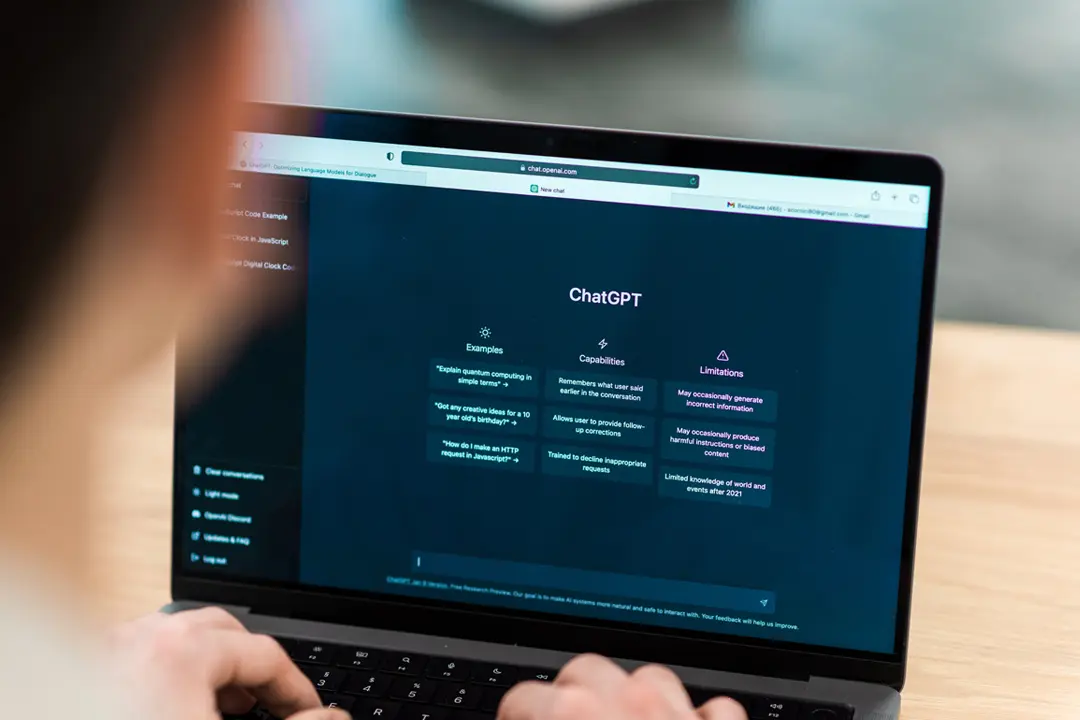
ChatGPT, developed by OpenAI, is a conversational AI that can understand and generate human-like text. Think of it as an incredibly knowledgeable assistant that can help with writing, research, problem-solving, and learning. You interact with ChatGPT through simple text prompts, asking questions or giving instructions in natural language. The tool can draft emails, explain complex concepts, brainstorm ideas, write code, translate languages, and much more. For beginners, start with simple requests like "Explain quantum physics in simple terms" or "Help me write a professional email to my boss requesting time off." The key to getting great results is being specific and clear in your prompts. Instead of asking "Tell me about marketing," try "Give me five social media marketing strategies for a small coffee shop with a $500 monthly budget." ChatGPT comes in free and paid versions, with the paid ChatGPT Plus offering faster responses, access to GPT-4 (a more advanced model), and additional features like browsing and image generation. As a beginner, the free version provides more than enough capability to experience the transformative power of AI assistance.
Midjourney and DALL-E: AI Image Generation
Visual AI tools have revolutionized creative work by allowing anyone to generate professional-quality images from text descriptions. Midjourney and DALL-E are the leading platforms in this space, each with unique strengths. Midjourney, accessed through Discord, excels at creating artistic, stylized images perfect for concept art, illustrations, and creative projects. You simply type a description like "a cozy mountain cabin at sunset, watercolor style" and the AI generates multiple variations. DALL-E, integrated into ChatGPT Plus, offers more photorealistic results and precise control over image editing. These tools are invaluable for content creators, marketers, designers, and anyone needing visual assets without photography or illustration skills. Start by experimenting with simple descriptions and gradually add detail about style, lighting, composition, and mood. For example, "portrait of a confident businesswoman in modern office, natural lighting, professional photography style, shallow depth of field" produces dramatically different results than just "businesswoman in office." Most image AI tools use credit systems where each generation consumes credits, so beginners should start with free trials or basic plans. The learning curve is surprisingly gentle—you'll create impressive images within your first hour of experimentation.
Grammarly and QuillBot: Writing Enhancement Tools
AI-powered writing assistants have become essential for anyone who communicates through text. Grammarly goes far beyond basic spell-checking, offering grammar corrections, style suggestions, tone detection, and clarity improvements in real-time. Install the browser extension and it works across email, social media, documents, and virtually any text field online. Grammarly's free version handles most basic writing needs, while premium unlocks advanced features like vocabulary enhancement, plagiarism detection, and genre-specific writing suggestions. QuillBot specializes in paraphrasing and summarization, helping you rewrite content in different styles, shorten lengthy passages, or expand brief notes into comprehensive paragraphs. These tools are particularly valuable for students writing essays, professionals crafting important emails, content creators producing articles, and non-native English speakers improving their writing. The key is treating these tools as assistants, not replacements for your own thinking. Use Grammarly to catch errors and improve clarity, but maintain your unique voice. Use QuillBot to explore different ways of expressing ideas, but ensure the final result genuinely represents your message. Both tools offer free versions with generous functionality, making them perfect starting points for AI writing enhancement. Over time, you'll notice these tools not only improve your writing but also teach you better writing habits.
Notion AI and Otter.ai: Productivity Boosters
Productivity AI tools help you work smarter by automating routine tasks and enhancing information management. Notion AI integrates directly into the popular Notion workspace, offering AI-powered writing, summarization, and information extraction within your notes and documents. You can highlight any text and ask Notion AI to summarize it, translate it, improve the writing, or extract action items. This seamlessly blends AI assistance with your existing workflow without switching between applications. Otter.ai revolutionizes meeting management through automatic transcription and summarization. Record any meeting, lecture, or interview, and Otter.ai creates searchable transcripts with speaker identification, key points highlighted, and action items extracted. The free tier offers generous monthly transcription minutes, making it accessible for students and professionals alike. For remote workers and students attending virtual classes, these tools are game-changers. Imagine never missing important meeting details because you can search through perfect transcripts, or having AI automatically generate meeting summaries you can share with absent team members. Start by using Notion AI for daily note-taking and planning, then add Otter.ai for any important conversations you need to reference later. The combination dramatically reduces time spent on administrative tasks while improving information retention and follow-through.
Google Bard and Microsoft Bing AI: Search Evolution
AI-powered search represents the next evolution of finding information online. Google Bard and Microsoft Bing AI (powered by ChatGPT) integrate conversational AI directly into search experiences. Instead of sifting through multiple websites to answer a question, you can have a natural conversation where the AI synthesizes information from multiple sources and provides comprehensive, cited answers. Ask Bard "What are the pros and cons of electric vehicles for someone living in cold climates?" and receive a balanced, detailed response drawing from multiple authoritative sources. Bing AI offers similar capabilities with web browsing integration, allowing it to access current information and provide sources for verification. These tools excel at research tasks, trip planning, product comparisons, and learning about current events. The advantage over traditional search is context retention—you can ask follow-up questions that build on previous responses, creating a natural research conversation. For beginners, start replacing some Google searches with Bard or Bing AI conversations. You'll quickly discover situations where conversational AI provides better results than traditional search, particularly for complex questions requiring synthesis of multiple information sources. Both tools are free and easily accessible, making them perfect for daily use without any financial commitment or technical setup.
Getting Started: Your First Week with AI Tools
Begin your AI journey with a structured approach to avoid overwhelm. Day one, create accounts for ChatGPT and Google Bard, spending 30 minutes experimenting with different types of questions and requests. Day two, install Grammarly's browser extension and observe how it improves your daily writing across email and social media. Day three, try generating five images with either Midjourney's free trial or DALL-E through ChatGPT Plus, exploring how different prompt styles produce different results. Day four, use Notion AI or a similar tool to summarize a long article or document you need to understand. Day five, record a video call or personal voice memo with Otter.ai and explore the transcription features. Days six and seven, identify three repetitive tasks in your workflow and experiment with AI tools to automate or improve them. Document what works and what doesn't, as this personal experience base becomes invaluable for developing your AI skills. The goal isn't mastering everything immediately but rather building familiarity and confidence with AI assistance. Most importantly, maintain realistic expectations—AI tools are powerful assistants, not magic solutions. They amplify your capabilities but still require your judgment, creativity, and oversight.
AI tools have democratized capabilities once reserved for specialists, putting powerful assistance in everyone's hands. ChatGPT and similar conversational AI systems offer unprecedented help with writing, research, and problem-solving. Image generation tools like Midjourney and DALL-E unlock creative possibilities for non-artists. Writing enhancers like Grammarly and QuillBot improve communication quality. Productivity tools like Notion AI and Otter.ai save countless hours on routine tasks. Search evolution through Bard and Bing AI makes finding and synthesizing information faster and more intuitive. The key to success with AI tools is starting simple, experimenting regularly, and gradually integrating them into your existing workflows. Don't try to adopt every tool simultaneously—instead, master one or two that address your most pressing needs, then expand from there. As you build experience, you'll develop intuition for which tools work best for which tasks and how to craft effective prompts that generate useful results. The AI revolution isn't coming—it's already here, and these beginner-friendly tools offer your entry point into a more productive, creative, and capable future.