
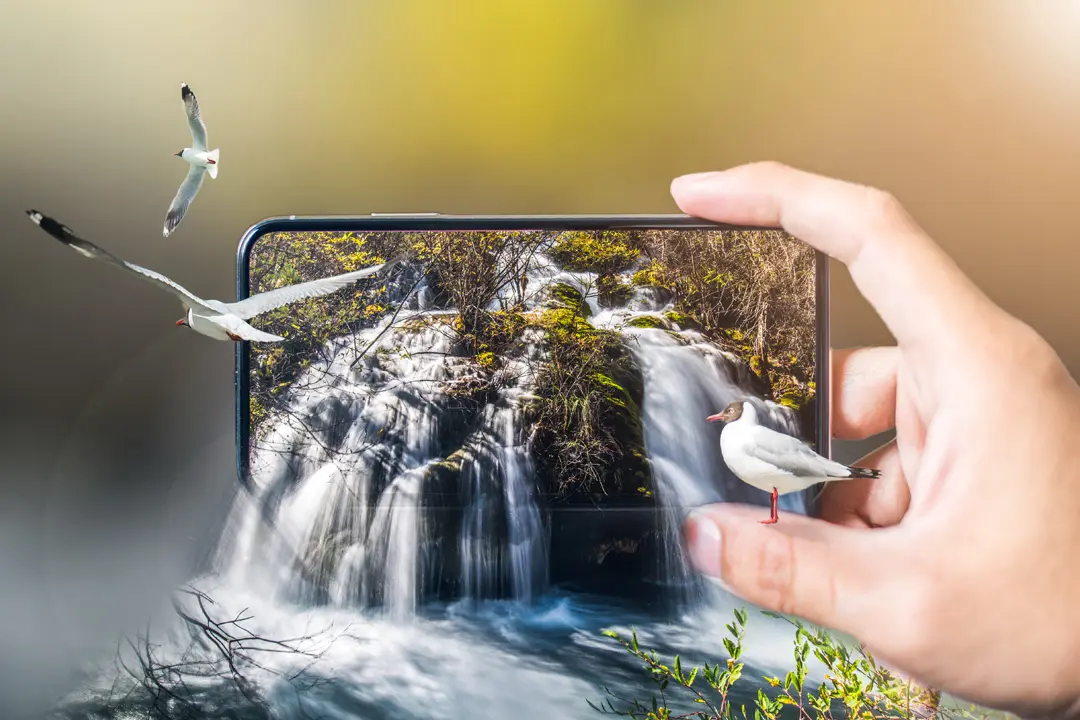
Smartphone Photography: Taking Professional Photos with Your Phone
Emily Carter • 28 Dec 2025 • 196 views • 4 min read."I wish I had a real camera" is the most common excuse for bad photos. But here's the truth: your smartphone is a real camera—and for most purposes, it's all you need. Modern smartphones have computational photography that rivals DSLRs, multiple lenses offering versatility professional photographers once dreamed of, and editing capabilities in your pocket that would have required expensive software a decade ago. The difference between amateur snapshots and professional-looking photos isn't equipment—it's knowledge. Understanding light, composition, and your phone's capabilities transforms your photography instantly. Instagram influencers, travel bloggers, and even some commercial photographers shoot primarily on phones because the results are that good when you know what you're doing. This guide reveals the techniques professional photographers use to create stunning images with smartphones. No expensive gear required—just your phone, these proven strategies, and practice. Whether you're capturing memories, building a social media presence, or exploring photography as a hobby, these skills will elevate your smartphone photography from amateur to impressive.
Technique 1: Master Your Phone's Camera Settings
Stop Using Auto Mode Exclusively
Your phone's camera app has powerful features most people never explore.
Access Pro/Manual Mode:
iPhone: Third-party apps like Halide, ProCamera, or Moment Android: Usually built-in "Pro" mode in native camera app
Key Manual Controls:
ISO (Light Sensitivity):
- Lower ISO (100-400): Less noise, better quality, needs more light
- Higher ISO (800-3200): More noise/grain, works in darker conditions
- Rule: Use lowest ISO possible for conditions
Shutter Speed:
- Fast (1/500 - 1/2000): Freeze motion, needs bright light
- Slow (1/60 - 1/4): Motion blur, creative effects, needs steady hands or tripod
- Rule: Match shutter speed to scene (action = fast, low light = slow)
Focus:
- Tap to focus on subject before shooting
- AE/AF Lock (tap and hold): Locks focus and exposure
- Use for consistent exposure across multiple shots
Exposure Compensation:
- Slide up/down after tapping to focus
- Brighten or darken image before shooting
- Better than editing later
White Balance:
- Auto usually works, but manual helps in tricky lighting
- Daylight, cloudy, tungsten, fluorescent presets
- Custom Kelvin for precision
HDR (High Dynamic Range):
- Combines multiple exposures
- Great for high-contrast scenes (bright sky, dark foreground)
- Can look unnatural if overused—toggle on/off based on scene
Portrait Mode/Depth Effect:
- Blurs background (bokeh effect)
- Best for people, pets, objects with clear separation from background
- Doesn't work well with complex backgrounds or edges
Night Mode:
- Automatically activates in low light (newer phones)
- Holds shutter open longer, stabilizes with software
- Requires steady hands or tripod for best results
Technique 2: Understand and Use Light (The Most Important Factor)
Photography is About Light
Great light makes mediocre composition look good. Bad light makes great composition look terrible.
The Golden Hours:
Best natural light occurs:
- Golden Hour: Hour after sunrise, hour before sunset
- Warm, soft, flattering light
- Long shadows add dimension
- Magical quality that elevates any photo
Blue Hour: 20-40 minutes after sunset or before sunrise
- Deep blue sky
- City lights contrast beautifully
- Moody, dramatic atmosphere
Avoid Harsh Midday Sun:
Overhead sun creates:
- Harsh shadows on faces
- Squinting subjects
- Washed-out colors
- High contrast difficult to manage
If shooting midday:
- Find shade
- Use buildings/trees as natural diffusers
- Shoot in open shade (bright but not direct sun)
- Backlight subjects and expose for faces
Indoor Lighting Strategies:
Window Light:
- Position subject near large window
- Soft, directional, flattering
- Turn off overhead lights (mixed color temperatures look bad)
- Use sheer curtains to diffuse if too harsh
Golden Triangle:
- Subject at 45° angle to window
- Camera facing subject
- Beautiful side lighting with dimension
Avoid Overhead Lights:
- Unflattering shadows under eyes and nose
- Use lamps at subject's level instead
Mixed Lighting Problems: Warm incandescent + cool fluorescent + daylight = color cast nightmare
Solution: One light source whenever possible, or edit white balance carefully
Backlighting:
- Subject between camera and light source
- Creates rim light/halo effect
- Expose for subject (background will blow out) or silhouette
- Tap on face to expose correctly
Technique 3: Master Composition Rules (Then Break Them)
Rule of Thirds:
The Foundation:
- Imagine grid dividing frame into 9 equal parts (most phones show this)
- Place subject on intersection points
- Place horizon on top or bottom third line, not center
- Creates more dynamic, interesting composition
Example:
- Portrait: Eyes on upper third intersection
- Landscape: Horizon on lower third (emphasize sky) or upper third (emphasize foreground)
Leading Lines:
Use natural lines to draw viewer's eye to subject:
- Roads, paths, railroad tracks
- Fences, walls, bridges
- Rivers, shorelines
- Architectural elements
Lines create depth and guide attention.
Framing:
Use elements in scene to frame subject:
- Doorways, windows, arches
- Trees, branches
- Foreground objects
- Creates depth and focuses attention
Symmetry and Patterns:
- Perfect symmetry can be striking
- Repeating patterns create visual interest
- Breaking pattern draws attention (one red apple among green ones)
Negative Space:
Empty space around subject:
- Creates minimalist, clean aesthetic
- Emphasizes subject through isolation
- Gives image room to breathe
- Popular in modern, professional photography
Perspective and Angles:
Eye Level: Standard, can be boring Low Angle (looking up): Makes subject powerful, dramatic High Angle (looking down): Minimizes subject, creates overview Dutch Angle (tilted): Dynamic, energetic, can feel unsettling
Change your perspective:
- Get low (ground level)
- Climb high (stairs, buildings)
- Shoot through objects
- Unexpected angles make familiar subjects interesting
Fill the Frame:
Get close. Eliminate distractions. Make subject dominant.
Background Awareness:
- Check background before shooting
- Avoid poles/trees "growing" from heads
- Minimize clutter and distractions
- Simple backgrounds make subjects pop
When to Break Rules:
Once you understand rules, break them intentionally for effect. Center subjects for symmetry, ignore rule of thirds for impact, embrace chaos for energy. Rules are guidelines, not laws.
Technique 4: Get Closer (Then Get Even Closer)
The #1 Amateur Mistake: Shooting from Too Far Away
Robert Capa's wisdom: "If your photos aren't good enough, you're not close enough."
Why proximity matters:
- Eliminates distracting backgrounds
- Shows details and textures
- Creates intimacy and connection
- Simplifies composition
How to get closer:
Physical proximity: Walk closer (obvious but often ignored)
Zoom carefully:
- Digital zoom = quality loss (pixelation)
- Optical zoom (if your phone has telephoto lens) = okay
- Better to crop later than use digital zoom while shooting
Macro/close-up mode:
- Most phones have dedicated macro mode
- Capture tiny details: flowers, food, textures, insects
- 2-4 inches away for extreme close-ups
Fill the Frame Principle:
If subject isn't filling a significant portion of your frame, you're probably too far away.
Technique 5: Keep Your Phone Steady
Blur is the Enemy
Even slight camera shake ruins photos, especially in low light.
Stabilization Techniques:
Two-handed grip:
- Hold phone with both hands
- Elbows tucked to body
- Press shutter gently (don't jab)
Lean on something:
- Wall, tree, car, railing
- Provides stability and support
Makeshift tripod:
- Rest phone on stable surface
- Stack books, use water bottle, improvise
Use volume buttons:
- Physical button creates less shake than tapping screen
- Headphone volume buttons work too (wireless shutter release)
Burst mode:
- Hold shutter button
- Takes multiple shots rapidly
- Increases odds of perfectly sharp image
Timer/self-timer:
- Eliminates shake from pressing button
- 2-3 second delay
- Perfect for group shots or long exposures
Actual smartphone tripods:
- $10-30 investment
- Game-changer for low light, long exposure, video
- Gorilla pods grip irregular surfaces
Technique 6: Understand Depth of Field and Bokeh
Creating Professional Background Blur
Portrait Mode:
- Uses computational photography to simulate DSLR depth of field
- Works best with clear subject separation from background
- Distance matters: subject 3-8 feet away, background farther
Tips for better portrait mode:
- Clean edge separation (hair against sky works better than against busy background)
- Adequate light (struggles in dim conditions)
- After shooting, adjust blur intensity in editing
Natural Bokeh:
- Get close to subject
- Keep background far away
- Use maximum available focal length (telephoto lens if available)
- Creates natural depth separation
When Not to Use Blur:
- Landscapes (usually want everything sharp)
- Architecture
- Group photos (everyone should be in focus)
- Documentary/street photography
Technique 7: Shoot in the Best File Format
RAW vs. JPEG
JPEG:
- Compressed, processed by phone
- Smaller file size
- Immediate sharing
- Limited editing flexibility
RAW:
- Unprocessed sensor data
- Huge editing latitude
- Requires processing
- Much larger files
When to shoot RAW:
- Dramatic lighting you'll edit heavily
- Important photos needing maximum quality
- When you plan serious post-processing
When JPEG is fine:
- Quick snapshots
- Immediate social media sharing
- Storage space concerns
How to enable RAW:
- iPhone: Third-party apps (Halide, ProCamera)
- Android: Usually in Pro mode settings
Technique 8: Edit Like a Pro (But Don't Overdo It)
Editing Elevates Good Photos to Great
Essential Edits (in order):
1. Crop and Straighten:
- Fix composition
- Align horizons
- Remove distractions at edges
- Use crop for different aspect ratios (Instagram square, etc.)
2. Exposure:
- Overall brightness
- Should look natural, not overblown
- Histogram should span full range without clipping
3. Contrast:
- Adds punch and depth
- Makes images pop
- Don't overdo (loses detail in shadows/highlights)
4. Highlights and Shadows:
- Recover blown-out skies (reduce highlights)
- Lift dark shadows
- Reveals hidden detail
5. White Balance:
- Fix color casts
- Make whites actually white
- Adjust temperature (warm/cool) for mood
6. Vibrance and Saturation:
- Vibrance: Boosts muted colors, protects skin tones
- Saturation: Boosts all colors equally
- Use vibrance first, saturation sparingly
7. Sharpening:
- Adds clarity and detail
- Use subtly (over-sharpening looks terrible)
- Zoom to 100% to check
8. Noise Reduction (if needed):
- Reduces grain from high ISO
- Trade-off: reduces sharpness
- Use minimally
Best Editing Apps:
Free:
- Snapseed (Google): Powerful, intuitive, selective editing
- Lightroom Mobile (Adobe): Professional tools, presets
- VSCO: Film-inspired filters, good basic tools
Paid:
- Darkroom (iOS): Professional RAW editing
- Afterlight: Creative filters and textures
- TouchRetouch: Remove objects seamlessly
Editing Principles:
Less is more: Subtle edits look professional; heavy-handed editing looks amateur
Consistent style: Develop recognizable editing aesthetic (especially for Instagram)
Before/After check: Toggle to see if edit actually improved image
Don't fix bad photos: Editing can't save fundamentally flawed images (bad light, poor composition, out of focus)
Technique 9: Master Specific Photography Genres
Portrait Photography:
Lighting: Golden hour, window light, or open shade Composition: Rule of thirds, focus on eyes Settings: Portrait mode for background blur Direction: "Chin down slightly," "look past camera," etc. Candid moments: Often better than posed stiffness
Landscape Photography:
Timing: Golden hour, blue hour, dramatic weather Composition: Foreground interest, rule of thirds horizon, leading lines Settings: HDR for sky/land exposure, wide angle lens Stability: Use tripod or stable surface Focus: Tap on midground for overall sharpness
Food Photography:
Lighting: Natural window light (side or back), never overhead Angle: 45° or directly overhead (flat lay) Styling: Simple backgrounds, strategic props, negative space Editing: Boost saturation and contrast slightly Close-ups: Show textures and details
Street Photography:
Approach: Candid, documentary style Settings: Fast shutter speed, be ready to shoot quickly Composition: Look for interesting light, characters, moments Ethics: Respect privacy, know local laws Burst mode: Catch perfect moment
Architecture/Interiors:
Perspective: Keep phone level to avoid distortion Symmetry: Often powerful for buildings Wide angle: Use ultra-wide lens if available Vertical lines: Keep straight (use grid) HDR: Balance interior and exterior light
Night Photography:
Settings: Night mode, low ISO if using tripod, longer exposure Stability: Tripod essential for sharp long exposures Light sources: City lights, neon signs, illuminated buildings Foreground interest: Include to add depth Light trails: Cars, trains (requires tripod and long exposure)
Technique 10: Learn Advanced Smartphone Camera Features
Multiple Lenses (if available):
Wide: Standard lens, versatile Ultra-wide: Expansive landscapes, architecture, group shots, creative distortion Telephoto: Portraits (flattering compression), distant subjects, compression of perspective
Cinematic Mode/Video Portrait:
- Shifts focus between subjects
- Professional film look
- iPhone 13+ and newer Androids
Photographic Styles (iPhone):
- Preset editing applied during capture
- Warmer, cooler, higher contrast, etc.
- Different from filters (affects processing)
ProRAW (iPhone):
- Combines RAW flexibility with computational photography
- Best of both worlds
- Requires editing but maximum quality
Astrophotography Mode:
- Pixel phones, some Samsungs
- Long exposure for stars
- Requires tripod and dark location
Action Mode (Newer iPhones):
- Extreme stabilization for video
- Handheld shots look gimbal-stabilized
Technique 11: Composition Hacks for Instant Improvement
The "Look for the Light" Game:
Before composing, ask: "Where's the best light?" Then build composition around light.
Layers:
Include foreground, midground, and background for depth:
- Landscape: Flowers (foreground), meadow (midground), mountains (background)
- Street: Person (foreground), street (midground), buildings (background)
Odd Numbers:
Groups of 3, 5, 7 objects are more visually pleasing than even numbers. Don't know why, but it works.
Reflections:
- Puddles, windows, mirrors, water
- Adds visual interest and symmetry
- Shoot reflection itself or subject + reflection
Silhouettes:
- Subject between camera and bright background
- Expose for background (subject goes dark)
- Creates dramatic, graphic images
- Works best with recognizable subject shapes
Color Contrast:
Complementary colors create visual impact:
- Blue and orange
- Red and green
- Yellow and purple
Look for these naturally occurring combinations.
Technique 12: Avoid Common Smartphone Photography Mistakes
Mistake 1: Dirty Lens
Your phone lives in pockets and bags. Wipe lens before important shots.
Mistake 2: Using Flash
Smartphone flash is harsh and unflattering. Almost always avoid. Find better light instead.
Mistake 3: Not Cleaning Up the Shot
Move distracting objects, straighten elements, clean backgrounds before shooting. Easier than editing later.
Mistake 4: Shooting Everything Horizontal
Vertical photos work better for portraits, tall buildings, social media. Match orientation to subject.
Mistake 5: Over-Editing
Filters and heavy editing date quickly and look amateurish. Subtle, timeless edits age better.
Mistake 6: Not Backing Up Photos
Cloud backup (Google Photos, iCloud) prevents losing precious memories. Enable automatic backup.
Mistake 7: Ignoring Composition
Taking time to compose (even 5 extra seconds) dramatically improves results.
Pro Tips from Professional Smartphone Photographers
"Shoot in bursts for action and candids" Increases odds of catching perfect moment, expression, or peak action.
"Clean backgrounds make subjects pop" Busy backgrounds distract. Simple, clean backgrounds emphasize subjects.
"Golden hour is real" Seriously, shoot during golden hour whenever possible. Transforms images.
"Your best camera is the one you have with you" Don't miss moments waiting for "better" gear.
"Shoot what interests YOU" Passion shows in photos. Forced subjects lack energy.
"Study great photography" Instagram, photography books, museums—train your eye.
"Practice deliberately" Focused practice (specific techniques) beats mindless snapshots.
"Constraints breed creativity" One lens, one location, one subject—limitations force creative solutions.
Professional-quality photos don't require professional cameras—they require understanding light, mastering composition, and knowing your smartphone's capabilities. Your phone is an incredibly powerful camera when you move beyond auto mode and apply these techniques. Shoot during golden hour, get closer to subjects, keep your phone steady, compose intentionally, and edit subtly. Practice these skills deliberately, and your smartphone photography will transform from forgettable snapshots to impressive images. The best camera truly is the one you have with you—now you know how to use it like a pro. Start shooting!