
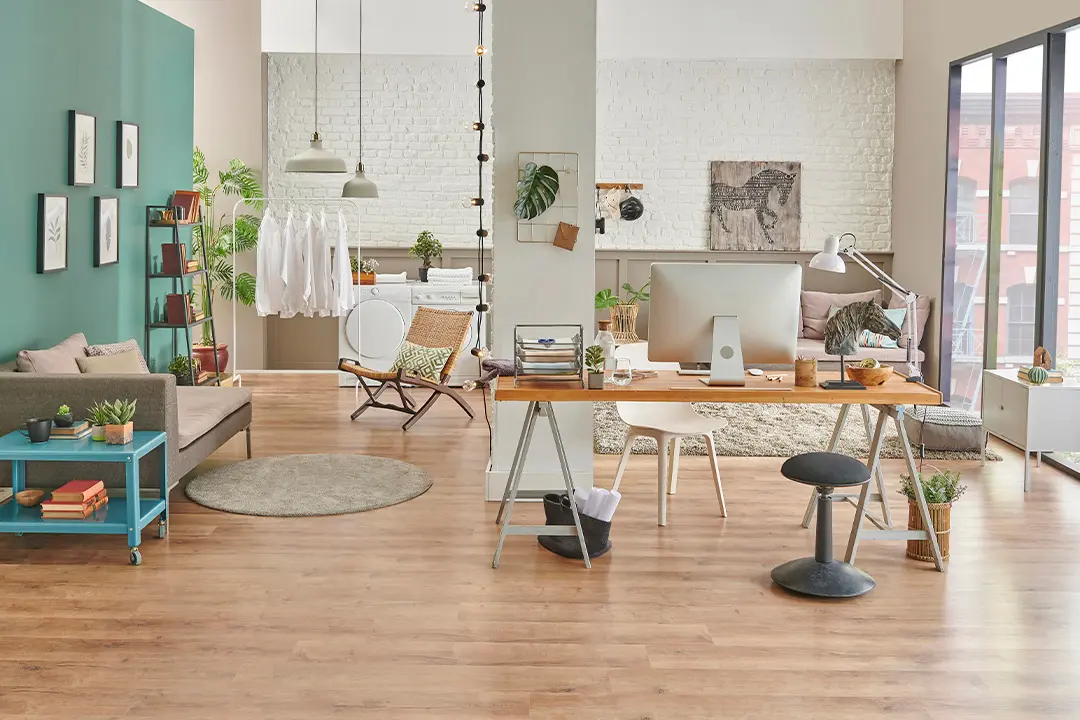
Small-Space Productivity: How to Design a Home Office That Doesn't Feel Like a Closet
Camille Cooper • 20 Feb 2026 • 236 views • 3 min read.Here is the honest truth about home office design that most interior decorating content skips: the difference between a workspace that makes you productive and one that makes you miserable has almost nothing to do with square footage and almost everything to do with five specific variables — light, ergonomics, acoustic control, visual separation, and the elimination of friction in your daily setup and teardown. A well-designed six-foot desk in a corner of a studio apartment can outperform a dedicated room that gets these variables wrong. The question is not how much space you have. It is what you do with the space you have.
Small-Space Productivity: How to Design a Home Office That Doesn't Feel Like a Closet
Light Is the First Decision, Not the Last
Most people treat lighting as the finishing touch — a lamp they buy after everything else is decided. This is backwards. Light is the most powerful environmental variable affecting alertness, eye strain, mood, and perceived space. It deserves to be the first decision you make about your workspace.
Natural light is the goal. Position your desk to receive daylight without direct glare on your monitor. The ideal placement is perpendicular to a window — the window to your side rather than in front of you or behind you. In front creates glare that makes your screen unreadable and squints your eyes for hours. Behind you creates a backlight that your camera sees and your video call participants complain about. To the side gives you the daylight benefit without the problems.
If natural light is not available or not adequate — basement offices, windowless rooms, north-facing walls — color temperature and brightness of artificial lighting matters enormously. Cool white light in the five to six thousand Kelvin range mimics daylight and supports alertness during working hours. Warm light in the two to three thousand Kelvin range signals the brain that it is evening. Working under warm light all day is a subtle but real contributor to afternoon brain fog.
Bias lighting — a light source behind your monitor that reduces the contrast between the bright screen and the dark wall behind it — reduces eye fatigue over long sessions in a way that most people notice within the first hour of trying it. LED strips behind the monitor are inexpensive and effective.
Ergonomics Is Not a Luxury
Lower back pain, neck tension, wrist discomfort, and headaches are the four most common physical complaints of remote workers. All four are primarily ergonomic problems, and all four are preventable with correct setup.
The monitor should sit at approximately arm's length from your face with the top of the screen at or slightly below eye level. Too low means you spend eight hours looking down — the head weighs approximately twelve pounds and each degree of forward tilt adds effective load to the cervical spine. Too high means eight hours of upward gaze that strains the upper trapezius. The correct position is one where your neck is neutral — neither tilted up nor down — when looking at the center of your screen.
Your chair height should position your hips at or slightly above knee level with both feet flat on the floor or a footrest. If your chair does not adjust to this position, a seat cushion or footrest is a cheaper solution than a new chair. Lumbar support — a pillow, a rolled towel, or a chair with built-in lumbar adjustment — keeps the natural curve of the lower back supported rather than collapsing it forward.
Keyboard and mouse should sit at a height where your elbows are at roughly ninety degrees and your wrists are neutral — neither bent up nor down. Most desk surfaces are designed for writing height, which is too high for typing. A keyboard tray that drops below desk surface level solves this if your desk is non-adjustable.
A standing desk converter — a desktop unit that raises and lowers your monitor and keyboard — is a meaningful investment for anyone spending six or more hours at a desk daily. The research on alternating sitting and standing is not that standing is better than sitting. It is that alternation — changing position every thirty to sixty minutes — produces better physiological outcomes than either sustained position alone.
Acoustic Control in Shared Spaces
Noise is the most underaddressed problem in small-space home offices, both the noise you hear and the noise your calls transmit to others.
Sound-absorbing materials reduce echo and ambient noise in your working environment. Rugs, curtains, upholstered furniture, and bookshelves with books all absorb sound. Hard surfaces — bare floors, painted walls, glass — reflect sound and create the reverberant acoustic environment that makes your brain work harder to process speech and concentrate on tasks.
If you are on video calls regularly, what you transmit matters as much as what you hear. A directional microphone or a headset with noise cancellation dramatically improves call quality in shared living situations. The integrated microphone on a laptop picks up everything in the room at roughly equal levels — your voice, the refrigerator compressor, the neighbor's dog, the person in the next room. A decent USB microphone or a headset costs thirty to eighty dollars and removes this problem entirely.
For deep focus work, noise-canceling headphones are one of the highest-return investments available to a shared-space home worker. They do not need to play music to be effective — many people use them with ambient sound or simply for the noise cancellation itself.
Visual Separation Creates Psychological Separation
One of the most consistent findings in remote work research is that workers who can maintain a psychological boundary between work mode and non-work mode report better focus during work and better recovery during non-work time. In small spaces, this boundary has to be created visually because it cannot be created physically.
A room divider, a bookshelf used as a partial wall, a curtain on a tension rod, or even a distinct rug that defines the workspace footprint creates enough visual cue to support the psychological shift. The brain is responsive to environmental signals — different contexts, different behaviors. A defined workspace, even a small one, performs this function better than a laptop on a couch in an undifferentiated living space.
Paint or wallpaper on a single wall behind your workspace changes the visual character of the space from living area to office without requiring renovation. The workspace wall reads differently from the rest of the room and reinforces the contextual cue.
End-of-day rituals that involve physically clearing or closing the workspace — putting away the laptop, closing a curtain, turning off the desk light — support psychological transition out of work mode in ways that simply closing the laptop on a shared surface does not.
Home Office Setup Options Compared
| Setup Type | Space Required | Estimated Cost | Productivity Rating | Best For |
|---|---|---|---|---|
| Dedicated room, full setup | Full room | $1,500-$5,000+ | Excellent | Long-term remote workers with available space |
| Closet conversion (cloffice) | 4-6 sq ft | $300-$1,500 | Very Good | Studio apartments, visual separation via closing doors |
| Corner desk setup | 20-30 sq ft | $400-$1,200 | Good | Open plan apartments, defined workspace without walls |
| Murphy bed with fold-down desk | 30-40 sq ft | $800-$3,000 | Good | Multipurpose rooms, guest rooms doubling as offices |
| Standing desk converter on existing surface | Minimal additional | $150-$400 | Good ergonomically | Renters, people unable to replace existing furniture |
| Dining table setup (no separation) | Shared space | Low | Poor long-term | Temporary only — not recommended for full-time remote work |
Frequently Asked Questions
What is the minimum workable space for a functional home office?
A desk surface of at least forty-eight inches wide and twenty-four inches deep accommodates a monitor, keyboard, and mouse with adequate clearance. A chair with three feet of clearance behind the desk for movement. Adequate lighting for the work surface. This footprint can function in approximately twenty to twenty-five square feet of dedicated space — roughly the size of a large closet, which is why closet conversions have become a popular solution in small apartments.
Is a standing desk worth the cost for a small space?
For full-time remote workers, a sit-stand desk is one of the highest-return equipment investments available. The health and focus benefits of position alternation are well-supported by research. For small spaces, a desktop converter — a unit that sits on top of an existing desk and raises to standing height — is more space-efficient than a full sit-stand desk and costs significantly less. If budget is a constraint, a fixed-height standing desk used with an anti-fatigue mat and a high stool for alternation achieves similar position variation at lower cost.
How do I handle video call backgrounds in a small or cluttered space?
A few deliberate elements in the visible background — a plant, a small bookshelf with organized books, neutral wall color — read as professional and considered without requiring significant renovation. A ring light positioned facing you reduces the background's visual prominence relative to your face. Virtual backgrounds work acceptably in well-lit conditions and can solve the problem entirely if you prefer. The highest-impact improvement for call presence is usually lighting — a well-lit face against a slightly blurry or neutral background reads as professional in any space.
What should I prioritize if I have a two hundred dollar budget?
In order of impact for most people: first, adequate task lighting if your current setup relies on ambient ceiling light — a good desk lamp with adjustable color temperature costs thirty to fifty dollars. Second, a lumbar support cushion or ergonomic seat cushion if your chair is causing discomfort — twenty to forty dollars. Third, a USB microphone or a wired headset if you are on calls regularly — thirty to sixty dollars. Fourth, a monitor stand or laptop riser to correct screen height — fifteen to thirty dollars. These four investments address the four most common small home office pain points within budget.
How do I deal with a partner or housemates who are also working from home in the same space?
Scheduled overlap for calls — coordinating when each person has calls to avoid simultaneous noise conflicts — removes most of the day-to-day friction. Defined visual territories, even in open shared spaces, reduce the ambient distraction of another person working nearby. Noise-canceling headphones for both parties is the single most effective investment for shared-space remote work. For sustained deep work, time-shifting — one person working early, one working later — produces better focus conditions than competing for quiet simultaneously.
A well-designed small home office is not about having more space. It is about making intentional decisions about the variables that actually affect how you think and feel while you work — light that supports alertness, ergonomics that prevent the physical complaints that accumulate over months and years, acoustic control that reduces cognitive load, and visual separation that helps your brain distinguish between work time and recovery time.
The six-figure standing desk and the designer chair are not what makes a workspace productive. The correct monitor height, the morning light coming in from the side, the door closed or the curtain drawn at the end of the day — these are what make a workspace feel like a place where good work happens.
You do not need more room.
You need better decisions about the room you have.
Start with the light.
Everything else follows from that.